How to get your brand into Gemini's answers

Kaan Ersoy3 min read
Gemini, Google's AI assistant, answers from what its model learned and, for many questions, from content in Google's Search index. It sometimes shows its sources, in line or under a Sources button. To be named in its answers, your brand has to be on the pages Google's index returns for your buyers' questions, and those pages have to describe you clearly and consistently. One Gemini-specific setting matters: Google-Extended, which controls whether your content may be used to train Gemini models and to ground Gemini Apps' answers.
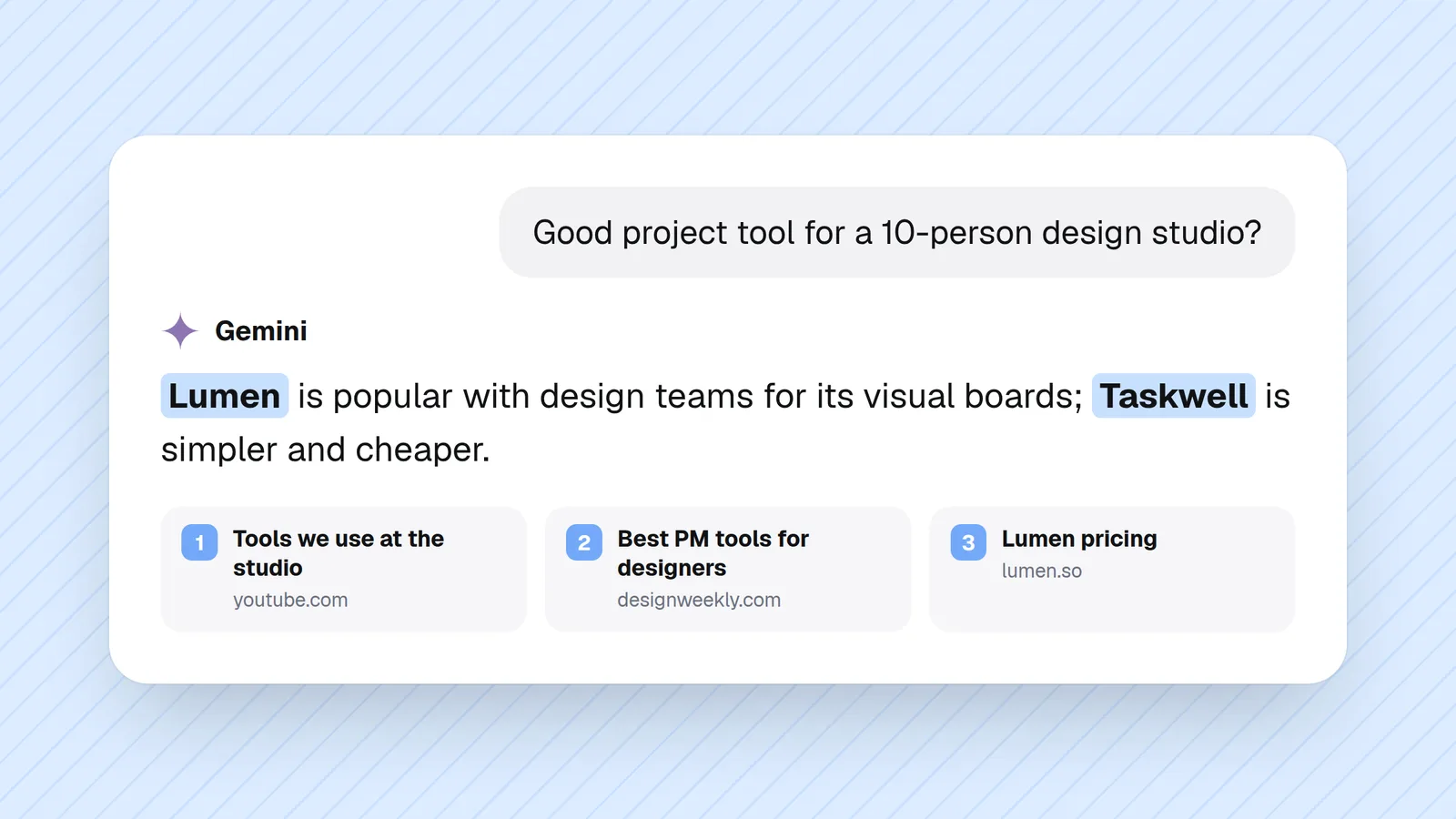
How Gemini answers
Gemini is both a model family and an app (the Gemini app on the web and phones). The app answers from the model's training and, when a question needs current or specific information, from content Google retrieves for it. Google's help pages say Gemini Apps sometimes show sources and related content within and below the response, as in-line links or under a Sources button that opens a side panel, and that not all responses include them.
Google calls the second part grounding: giving the model content from the Google Search index at the moment of the question, to improve factuality and relevance. Its documentation for site owners describes grounding in Gemini Apps as one of the uses Google-Extended controls.
Google-Extended: the one Gemini-specific setting
Google-Extended is a robots.txt token (not a separate crawler) that tells Google whether content it crawls from your site may be used for:
- training future Gemini models that power Gemini Apps and the Vertex AI API;
- grounding in Gemini Apps and Grounding with Google Search on Vertex AI.
Google says it does not affect inclusion in Google Search and is not a ranking signal, and Google's AI Overviews and AI Mode are part of Search. So blocking Google-Extended can keep your pages out of Gemini's grounded answers while your Search presence, including AI Overviews, stays as it is.
# Allow Gemini training and grounding (the default if you say nothing)
User-agent: Google-Extended
Allow: /
If you want Gemini to be able to use your pages when answering, do not block Google-Extended. A site that blocks it to opt out of training opts out of grounding in Gemini Apps too. Check yours. More in AI crawlers and robots.txt.
Steps to be named by Gemini
- Check robots.txt for Googlebot and Google-Extended, and your CDN rules.
- Be in Google's index for your buyers' questions: indexed, snippet-eligible pages that answer them directly.
- Ask Gemini your buyer questions and open its sources where it shows them. Note the pages that recur.
- Get onto those pages: list articles, review sites, forums and YouTube.
- Keep your facts consistent across your site, Google Business Profile if you have one, and every profile. Gemini's training reflects how the web describes you.
- Re-ask the same questions every few weeks.
Why Gemini's answer differs from Google's AI Overview
They share Google's index but are different products: different models, different prompts, different decisions on when to search and what to show. AI Overviews are part of Search and governed by Search's controls; Gemini Apps are governed in part by Google-Extended. In practice, the same question can name different brands in each. Check both.
Questions people ask
Does blocking Google-Extended hurt my Google rankings?
Google says Google-Extended does not affect inclusion in Google Search and is not a ranking signal.
Does Gemini show sources?
Sometimes. Google says Gemini Apps may show links in line or under a Sources button, and not every response includes them.
How do I see traffic from Gemini?
Visits from the Gemini app usually show with gemini.google.com as the referrer in analytics. See how to track AI traffic in GA4.